Feature
Suppliers & contractors
Every firm that works for your blocks has one page: the lift company, the fire alarm engineers, the roofer, the insurer. Open it and you see what it does for you, what it's working on and what it has invoiced.
One page for every firm
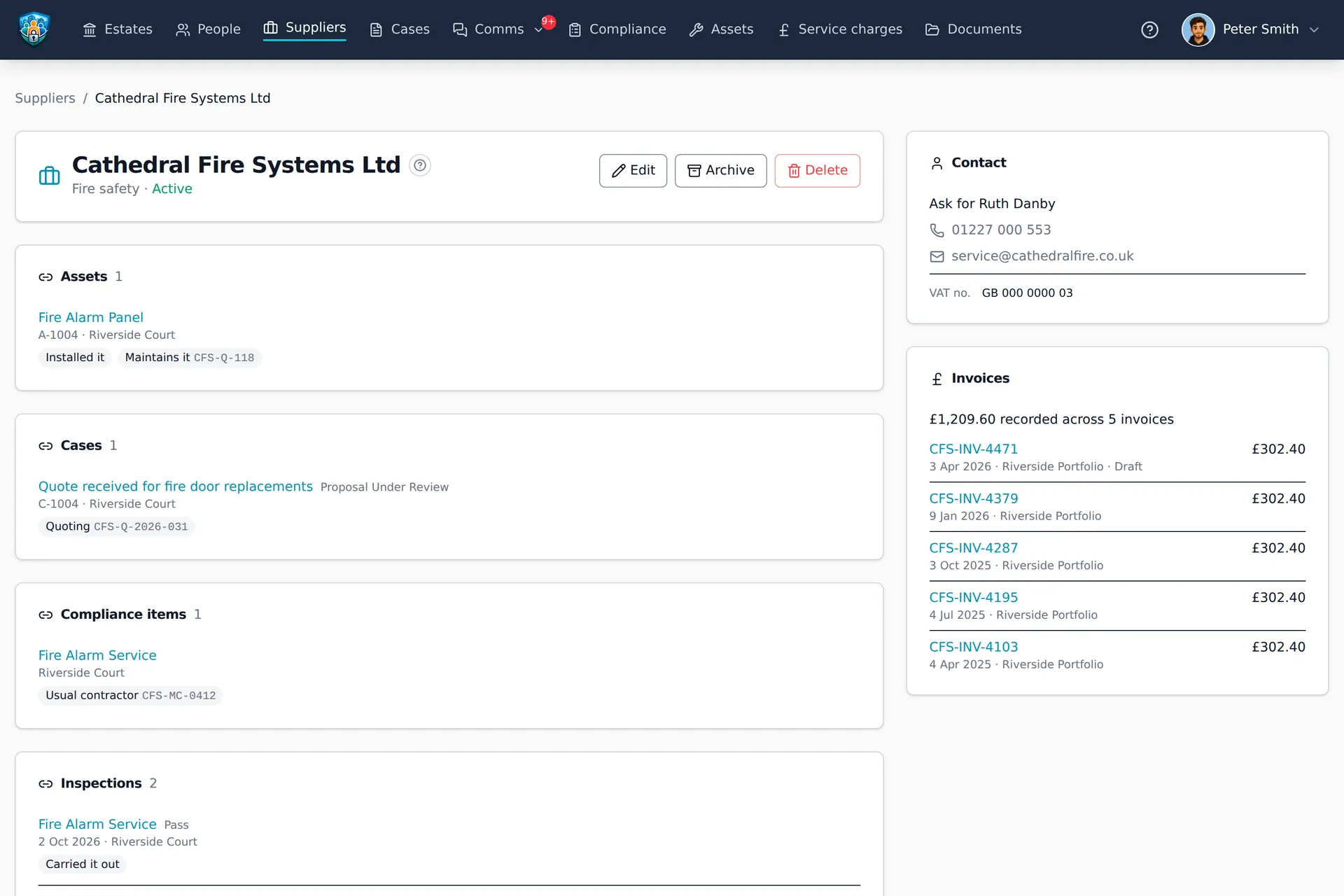
A supplier’s page brings together everything it does for you. Cathedral Fire Systems installed the fire alarm and maintains it. It is quoting for new fire doors and usually carries out the six-monthly service. Its last two visits and its invoices are on record.
- Contact details, including who to ask for.
- The assets it sold, installed, maintains or handles warranty claims for.
- The cases it is quoting for or doing the work on.
- The compliance checks it usually does, and the inspections it carried out.
- Its invoices, and how much you have spent with it.
- Its documents, such as insurance certificates, contracts and registrations.
- Your team's notes about it, and your emails with it.
Every supplier name in Block Guardian opens this page.
Who to call, on the asset itself
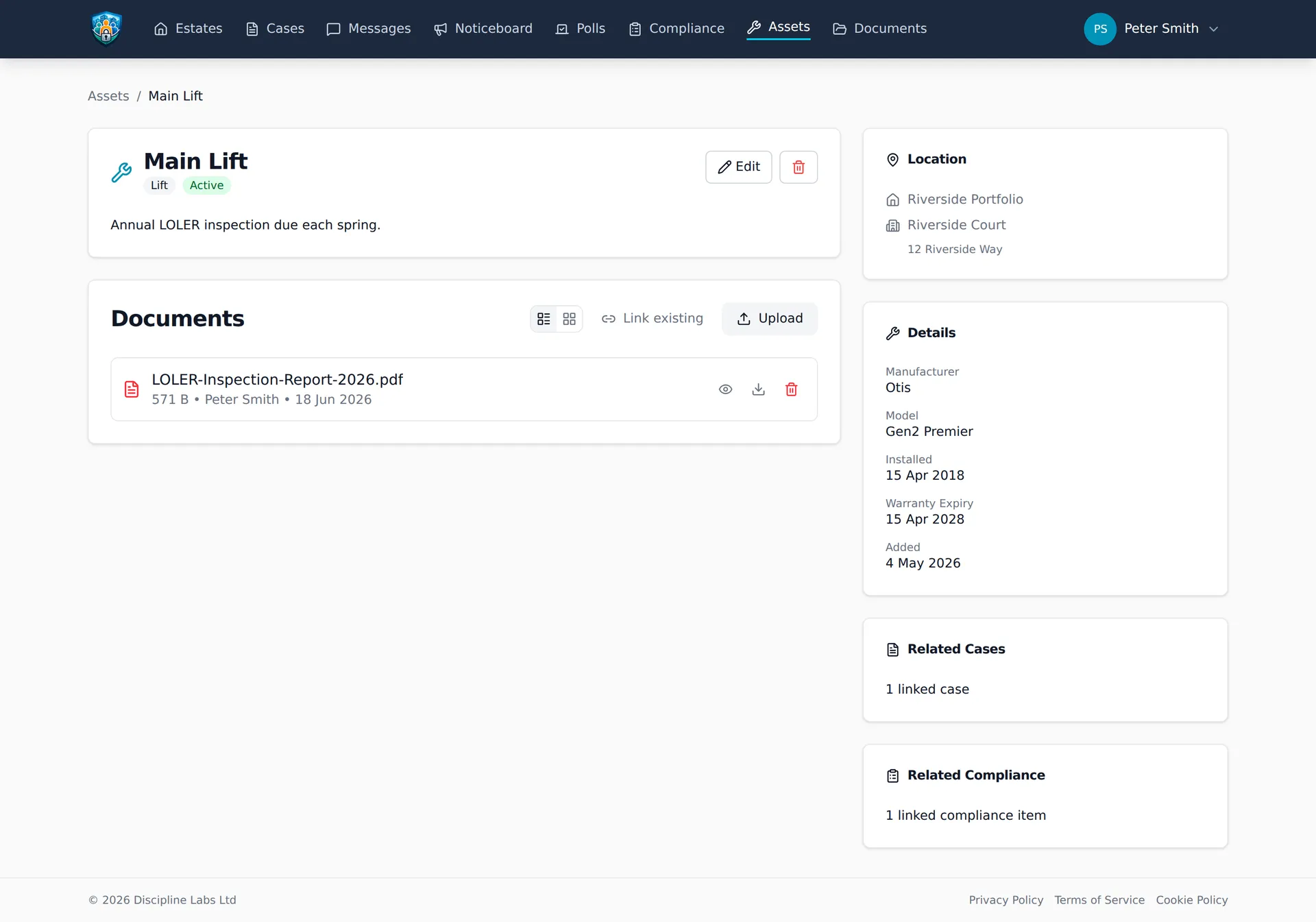
When the lift stops, the question is who to ring. Each firm on an asset says what it does: it sold the asset, installed it, maintains it, or handles warranty claims. The firms sit next to the warranty expiry date, because they answer the same question.
- Each firm can carry the account number or contract reference they will ask for.
- A note can hold the detail that matters, such as an out-of-hours number.
- The asset register shows who maintains each asset.
- Residents see who to call about an asset they can see.
Inspections and cases know the firm too
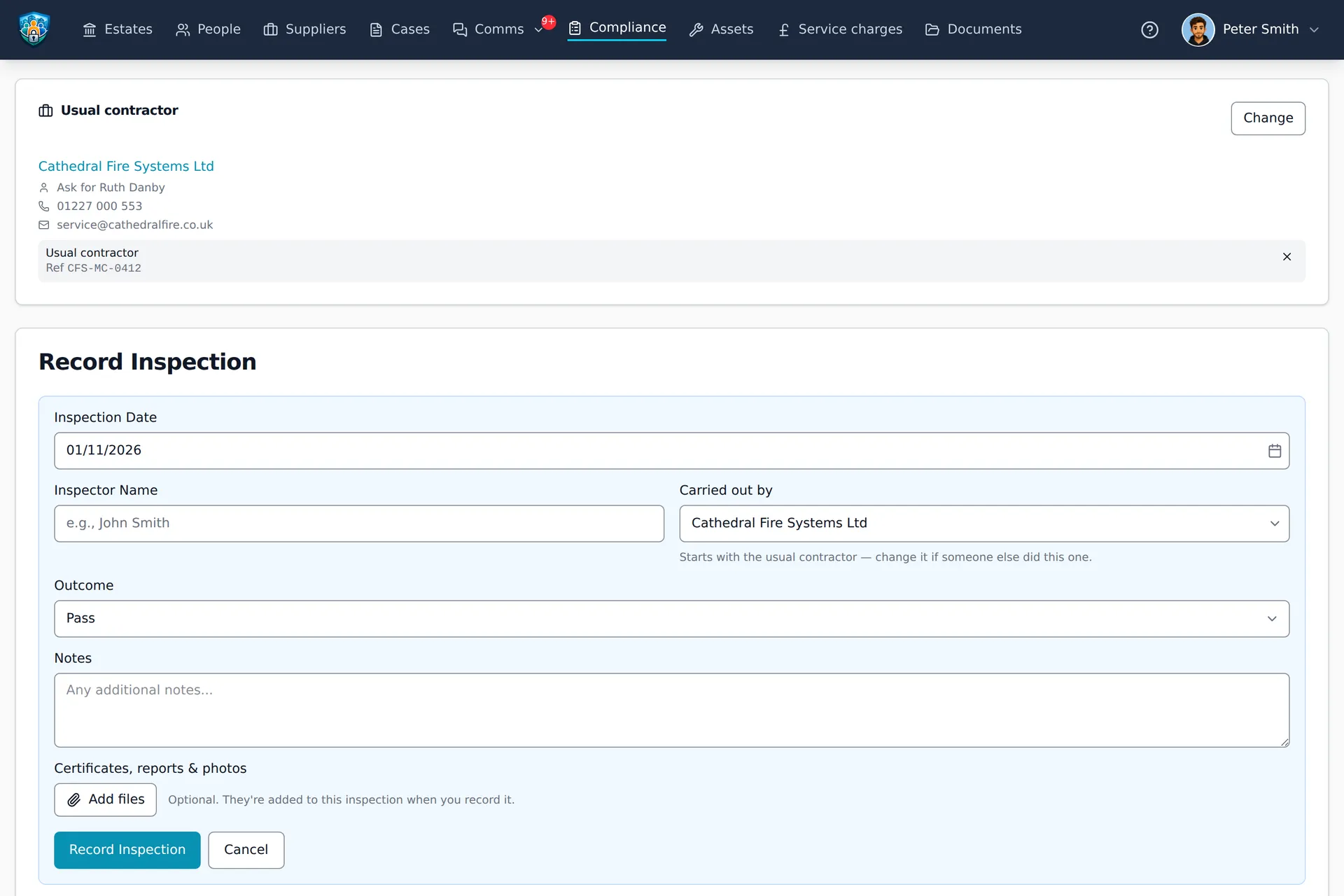
A compliance item can name its usual contractor. Every new inspection then starts with that firm as the one who carried it out, and you change it when someone else did the visit. Over time the supplier’s page builds up the inspections it actually did.
- A case records the firms quoting for the work.
- A case also records the firm doing the work.
- Residents never see who is quoting for their case.
Every firm in one list
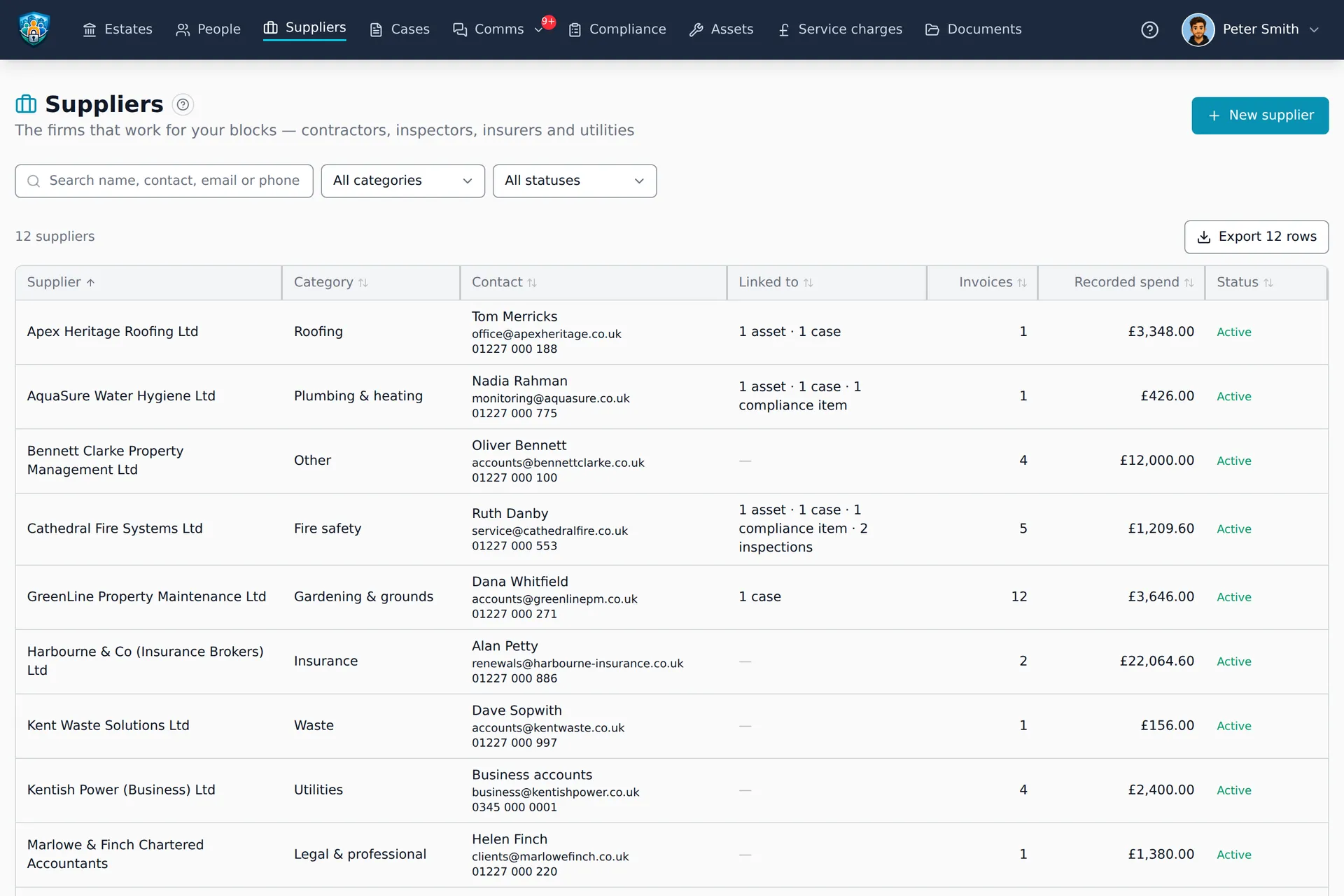
Contractors, inspectors, insurers and utilities sit in one list in the menu, each with its category and its contact.
- Search by name, contact, email or phone number.
- Filter by category and by status.
- See what each firm is linked to at a glance.
- See each firm's invoices and how much has been spent with it.
- Export the list to a spreadsheet.
Good to know
It's for your team
The supplier list and each supplier's page are for staff. Residents see only who to call about an asset they can see: the firm's name and number, without its page.
Suppliers don't log in
A supplier is a record, not a user. There is no supplier portal, and nothing is sent to a supplier by itself.
It records invoices, it doesn't pay them
Block Guardian keeps what each firm has invoiced and codes it to the budget. Paying the invoice still happens in your bank.
Permissions of its own
Seeing suppliers and changing them are separate permissions, so you choose who does each. Seeing what was spent with a firm also needs the finance permission.
The firm knows about the building
Because assets, compliance, cases and invoices already live in one system, the firm that maintains the lift is one click from the lift, from the repair it is quoting for and from everything it has invoiced.
Put every contractor on the record
Start your free 45-day trial. No credit card required.