Feature
Email, filed where it belongs
Connect your Microsoft 365 mailboxes and file the email about the leak to the case, the flat and the leaseholder — so the next person to open the record reads the conversation, not a summary of it.
Shared mailboxes, read by the team
Each member of staff connects their own Microsoft 365 mailbox, and the organisation’s shared mailboxes — info@, finance@ — come with it, for everyone Microsoft lets read them. Everything that arrives in a shared mailbox is kept, because the first email from a stranger is usually the enquiry.
- A list beside a reading pane, the way an email client works
- Unread is per person — a colleague's reply is still new to you
- A Needs filing tab, so nothing quietly stays in the inbox
- An email that arrived somewhere else can be recorded by hand
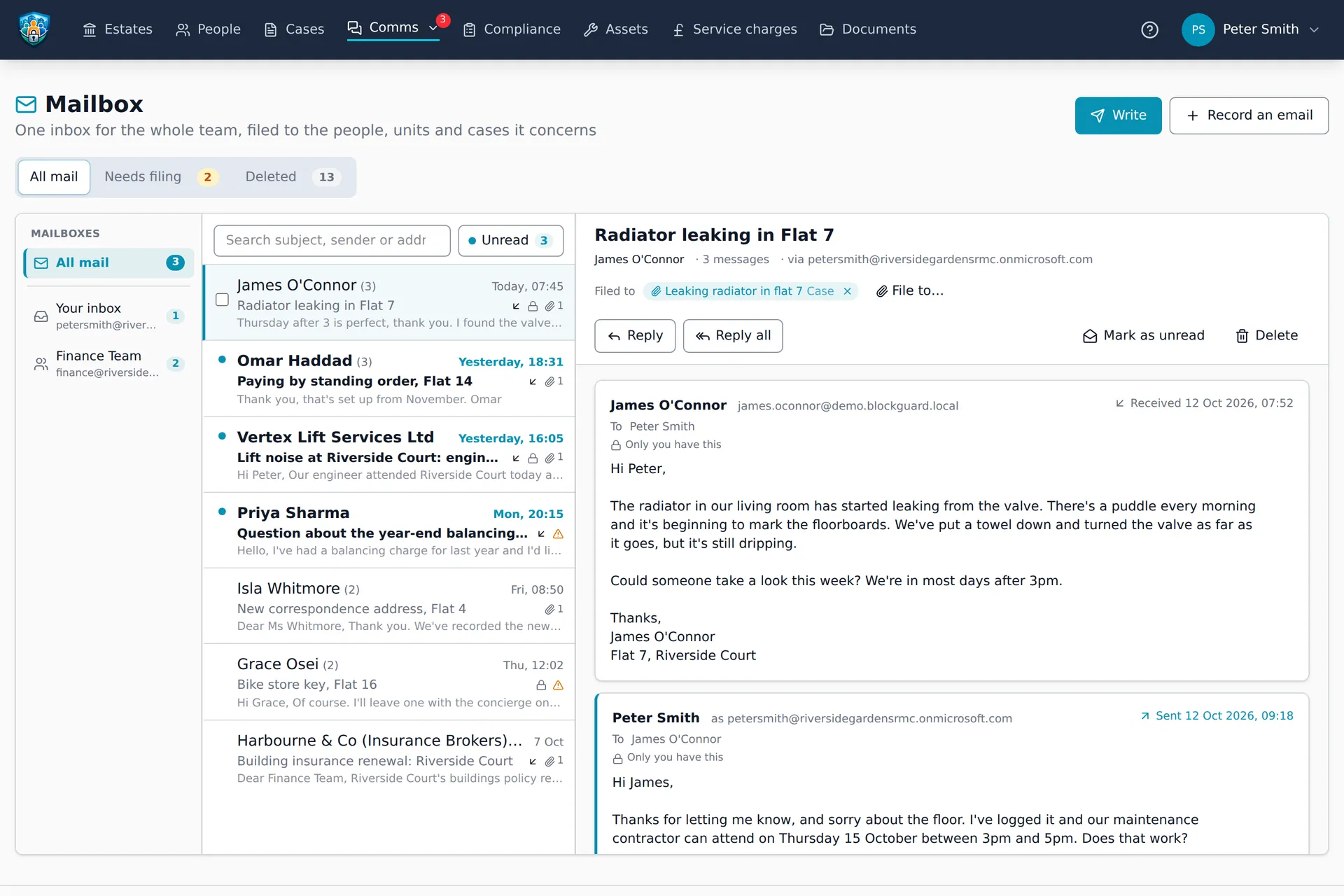
File it to the record
Any conversation can be filed to the case, person, unit or supplier it is about. It then appears on that record’s page, so whoever picks up the case next sees what was said, by whom and when — without asking whose inbox it is in.
- Nothing is filed automatically — a person decides, because a wrong guess puts one leaseholder's email on another's case
- A person's page shows every conversation with them, filed or not
- Attachments are kept as documents, exactly as private as the email they came on
- Write from the record: its people are suggested, and the email you send is filed there
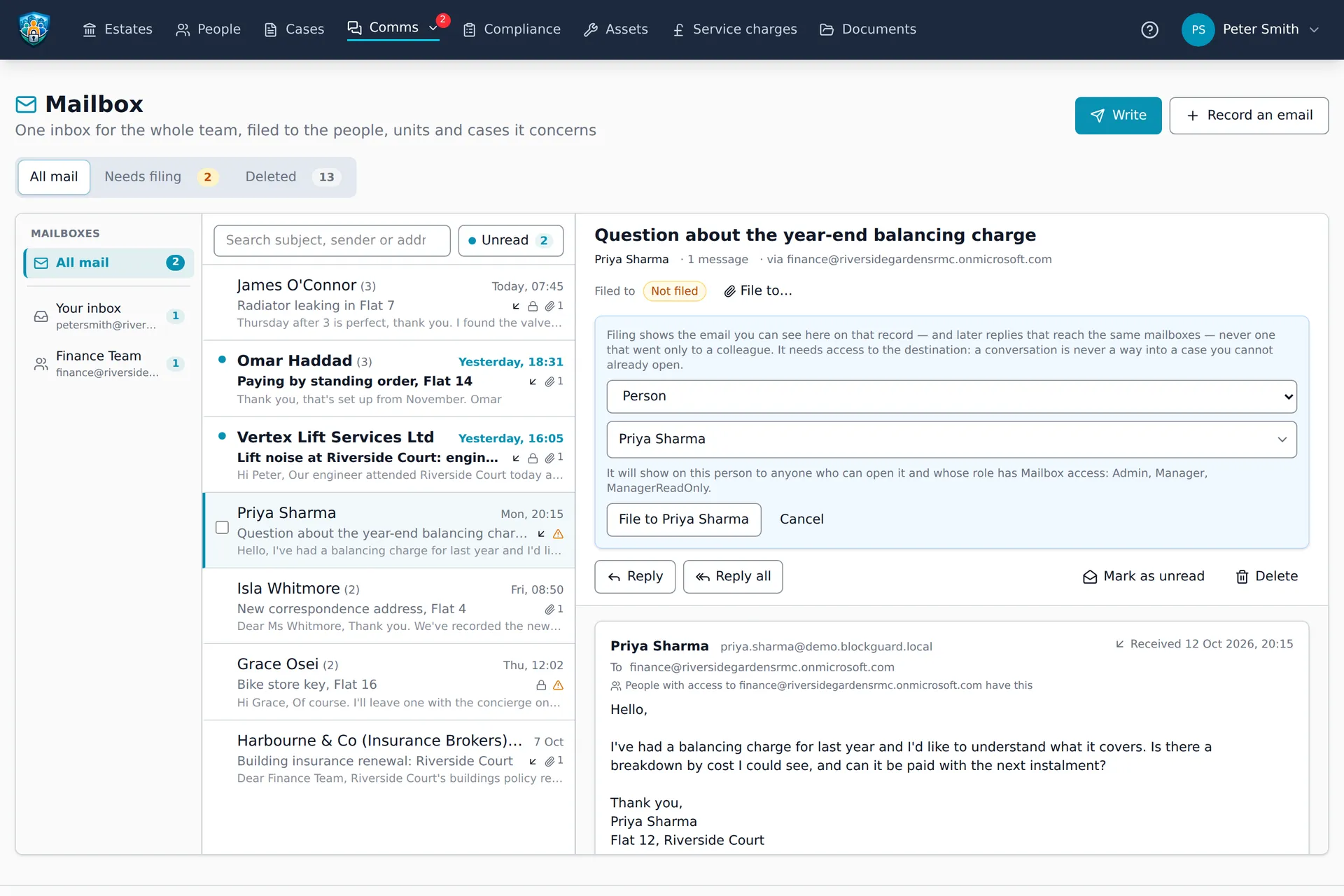
Who sees what — the way Outlook works
Putting email into a shared system raises an obvious question. The answer is the one your team already knows from Outlook.
Each email, to whoever's mailbox it went through
An email that arrived in finance@ can be read by the people who can read finance@. One that only reached you is yours alone. Copied in once, you see that email — not the whole conversation's history. The same rule Outlook follows.
Your own inbox stays yours
From a person's own inbox, Block Guardian keeps only replies to what they sent from Block Guardian, plus anything they choose to keep. The organisation can exclude senders for everyone; it can't widen what is taken from someone's inbox.
Staff only
Residents never read your email about them — not on their own flat's page, and not on a case they can see. Only an attachment someone deliberately files as a document follows the document rules.
A record shows what its filer could see
Filing puts the emails the filer could see on the record, read-only for colleagues with Mailbox access who can open it. Never an email the filer couldn't see.
Send and reply from Block Guardian
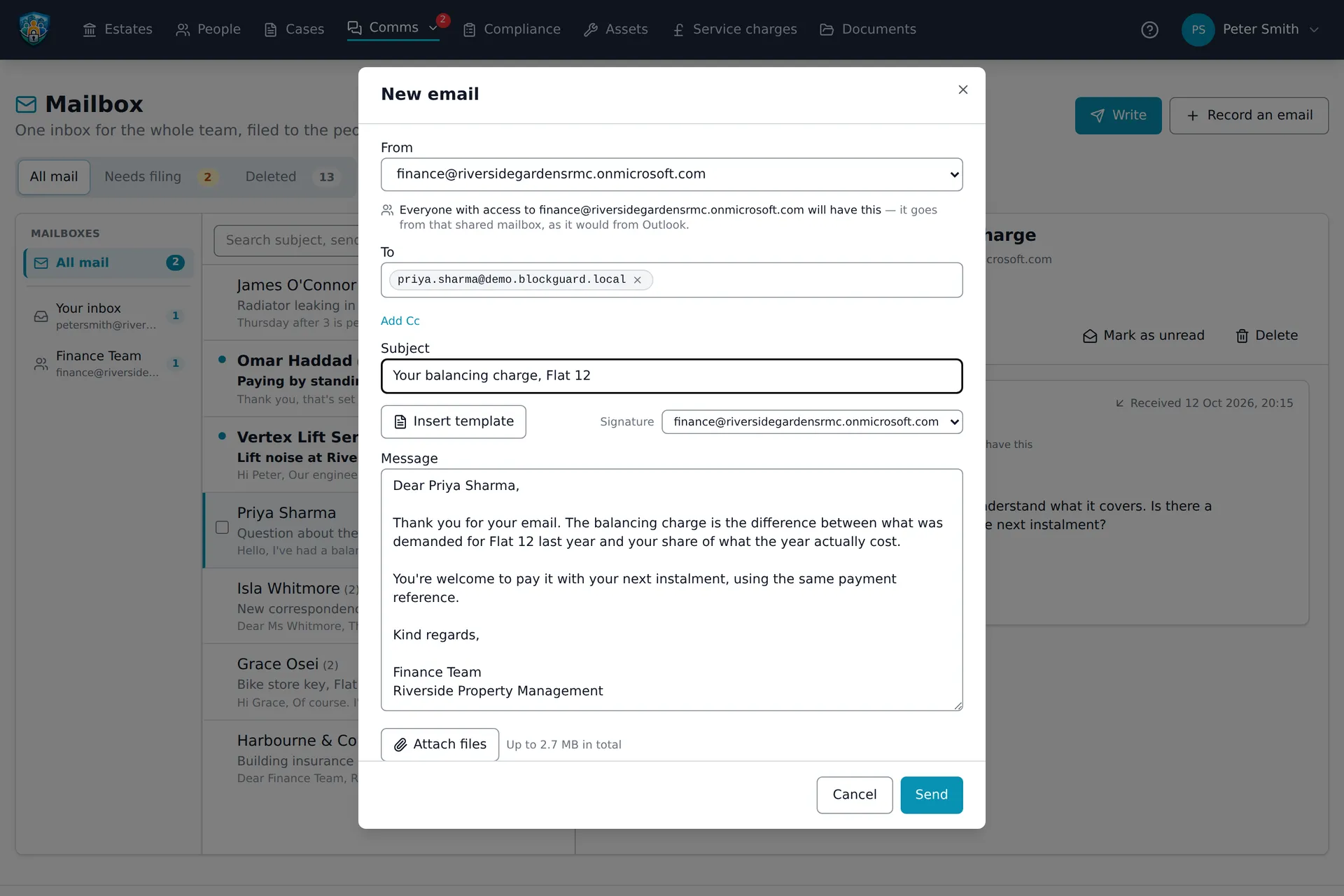
Email goes out through your own Microsoft 365 mailbox — as yourself, or as finance@ where Microsoft allows it — so it comes from your address and replies come back to the mailbox it was sent from.
- Organisation templates, with placeholders such as the recipient's name filled in for you
- A signature per mailbox — yours on your own, finance@'s on finance@
- Suggested recipients from the flat: leaseholders, named tenants, other occupants, each labelled
- Writing to someone recorded as under 18 asks first
Service charge demands can go the same way, to leaseholders who have agreed to it. How emailed demands work
Sign in with Microsoft
Staff sign in with their Microsoft 365 work account — the same account their mailbox is connected through. It is invite-first: signing in with Microsoft never creates a login by itself, so only the people you invite get in. Residents keep signing in with their email and password.
Before you connect
Both are included for every organisation at no extra charge. What to know first:
Microsoft 365 only
It needs Microsoft 365 with Exchange Online. Gmail and Google Workspace aren't supported.
Your Microsoft admin may need to approve it
Many organisations require an administrator to approve new apps. If yours does, they approve Block Guardian once, in Microsoft's admin centre.
Each person connects their own
There is no organisation-wide connection reading everyone's mail. Each member of staff connects their own mailbox, and sees the shared mailboxes Microsoft lets them read.
‘Sent’ means Microsoft accepted it
Block Guardian records that Microsoft took the email. It doesn't track delivery or whether it was opened.
The email knows about the building
Because cases, people, units and suppliers already live in one system, an email filed to the leak sits beside the contractor’s quote, the photos and the stage the case is at.
Bring the email into the record
Start your free 45-day trial. No credit card required.