Feature
Case management
A structured, nine-stage workflow for every issue — from initial report through investigation, approval, and resolution. Nothing falls through the cracks.
Nine stages from report to resolution
Every case follows a structured workflow. Each stage transition is recorded in the audit trail, so you always know who moved a case forward, when, and why.
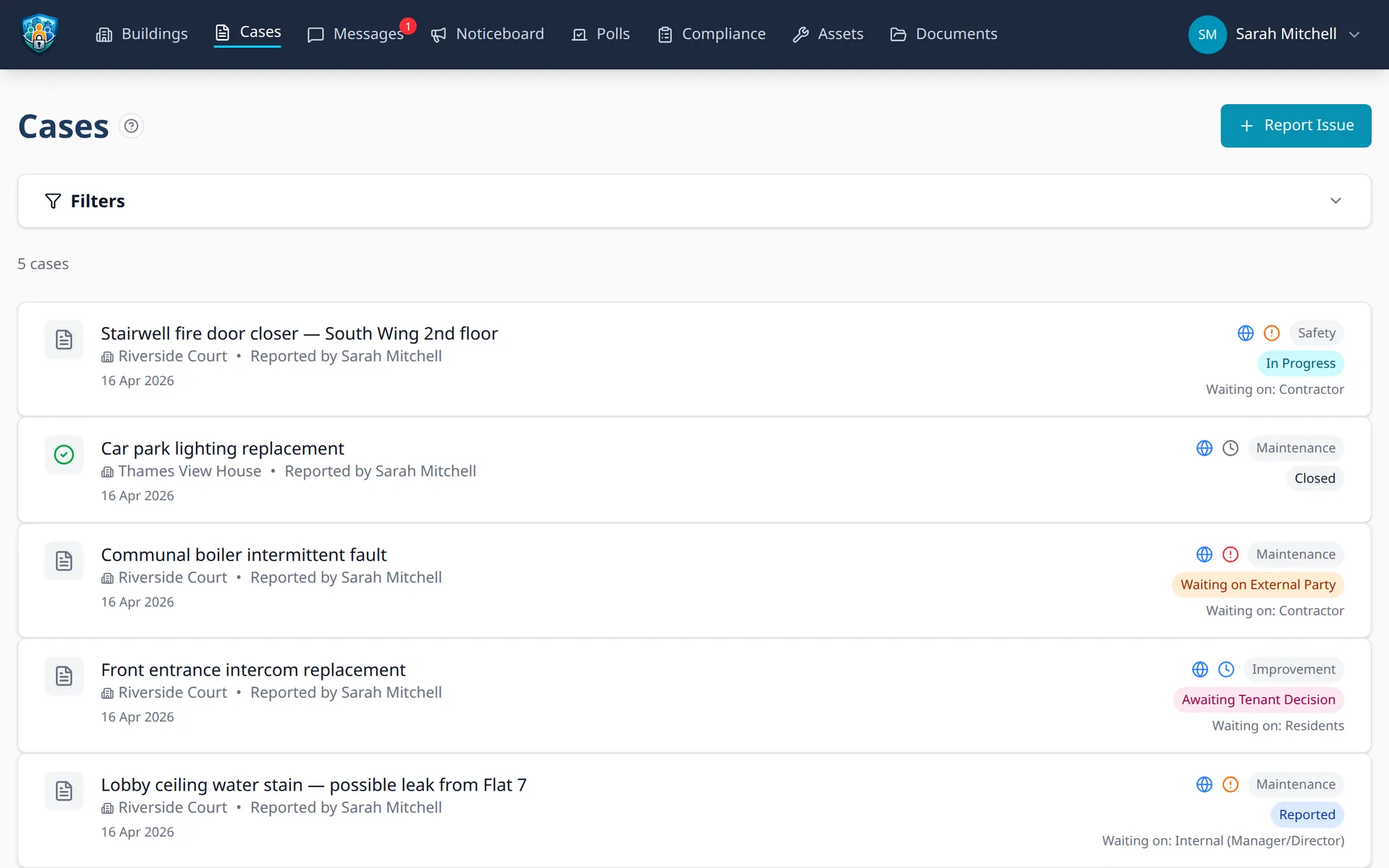
Accountability you can point to
Every case tracks who is responsible for the next step. The “Waiting On” field makes blockers explicit — whether the hold-up is a council response, a contractor quote, or a resident decision.
Waiting on parties
- Case participants receive notifications without being the assignee
- Public or private visibility controls per case
- Link cases to compliance inspections or building assets
- Full comment thread with system-generated stage change notes
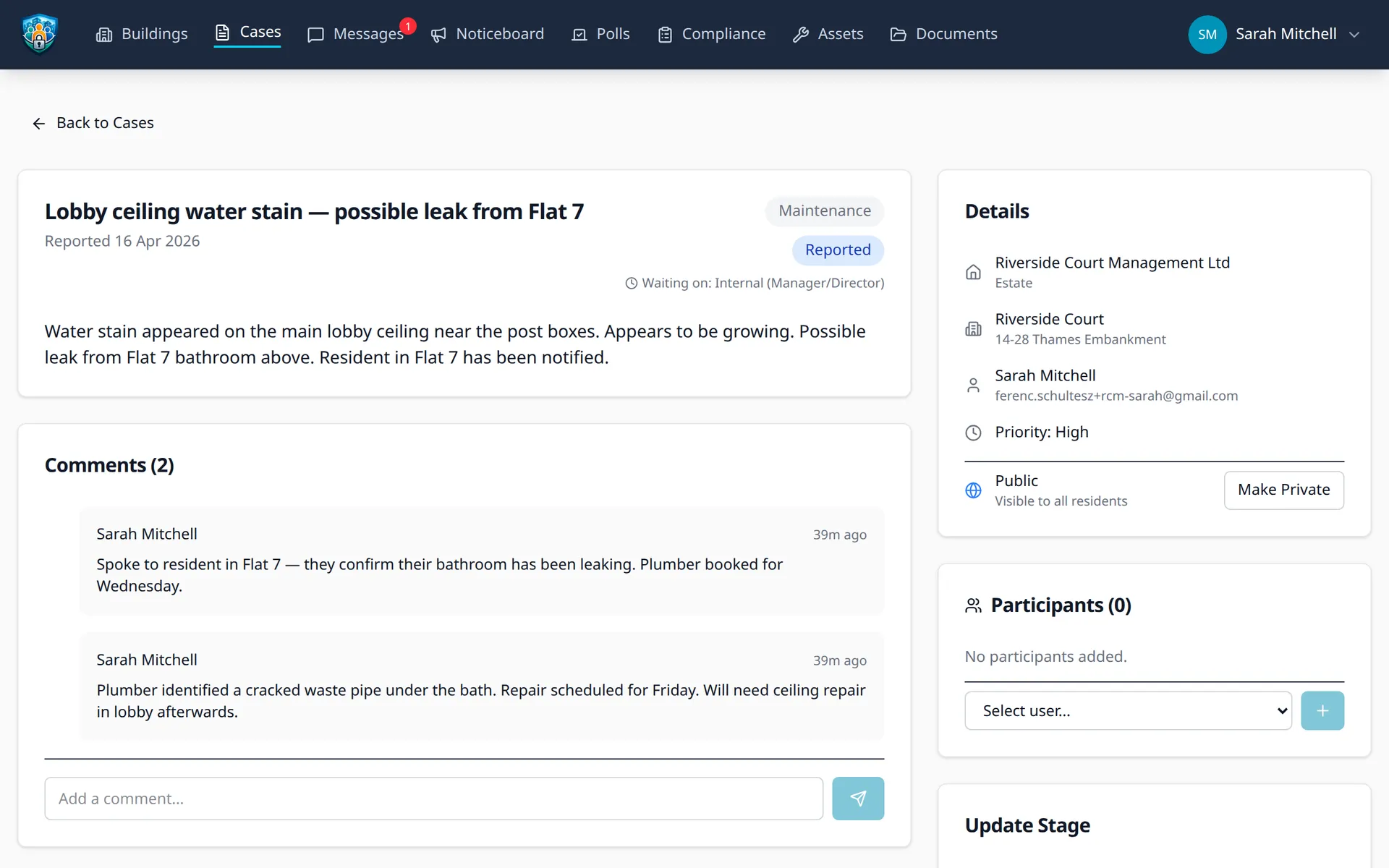
Cases scoped to your hierarchy
Create cases at the estate, building, sub-block, or unit level. The system infers the correct location when creating cases from inspections, so you don't have to set it manually. Case types — Maintenance, Safety, Improvement, Financial, and External — help you categorise and filter across your portfolio.
Stop losing track of building issues
Start your free 45-day trial. No credit card required.